Think about all the online "touch points" you have with customers and prospects.
Like many companies let's assume you have a main website, a Facebook page, and a blog. Are you taking advantage of each as an email collection opportunity?
If not, you certainly should be doing so! Here are four tips to collect more email addresses.
1. Make the email sign-up form easy-to-see and include a call-to-action.
How can people sign up if they can't find your sign-up form? Also, call it what it is -- and "e-newsletter" or "email deals" label is just fine, so long as people immediately recognize it's your email sign-up.
Give people a reason to sign-up...answer the "what's in it for me" question!
2. Create a Facebook "Welcome" tab and embed the email sign-up form here.
According to multiple studies, companies with a "Welcome" tab tend to have higher sales conversion rates than those without.
There are different applications for creating Welcome tabs. An easy one to use is called "My Tab"
Creating a Welcome tab isn't difficult -- if you don't know how to do it, just have someone you trust "like" you and then make them an Administrator of your Facebook page. They can then insert the sign-up form code.
Heavy Facebook developers may want to consider additional tabs for things like "Promotions" and embed the sign-up form there. However, for those new to the game a Welcome tab is just fine.
3. Ask for Email Addresses on Your Blog
Using RSS feeds is great, as is allowing people to get instant or daily blog post updates through a native blog tool -- but they are not replacements for email sign-up forms!
Why are they not replacements?
* You don't get someone's email address using those tools;
* The communications are likely to be unbranded
* You lose the opportunity to cross-promote other social channels
People reading your blog and receiving RSS feeds may not want to receive emails -- but that's okay, they won't sign up anyway.
The ones that do sign up should be highly engaged with you.
4. Ensure Your Email Technology Can Support Multiple Sign-up Forms and Segmentation
Some email technology platforms only allow you to have one sign-up form, or the sign-up form may not be easy to customize. Be sure to ask your email service provider if they can support this requirement.
Another key element for successful email marketing is to group people together based on where they signed up for emails. On your website -- automatically place all sign-ups into a "Website Sign-up" group. Facebook: place in a "Facebook Sign-up" group; the same for your blog.
When the time comes to send emails, you'll want to know who you're contacting. By placing people into distinct groups, especially from social media websites, you can measure their email performance separately.
What does everyone want to understand? Social media return-on-investment (ROI). Emailing social sign-ups separately gives you one additional tool to measure that investment -- they may convert more or less than other prospecting avenues.
Need help implementing these tips? Contact us today and we'll be glad to work with you!

The Admiral Company: Feature-rich email marketing for small, mid-size, and enterprise business. www.AdmiralCompany.com
Showing posts with label Email Marketing. Show all posts
Showing posts with label Email Marketing. Show all posts
Monday, December 12, 2011


Monday, July 25, 2011
Email Marketing Lesson from G.I. Joe
Way back during the 1980's cartoon series, who would have thought G.I. Joe to be a top-notch prognosticator of email marketing! Quite likely, nobody...because email did not yet exist. In any case, we digress.
G.I. Joe's famous line, "...and knowing is half the battle," is so true for today's email marketers.
When it comes to email, "knowing" the impact of your emails is vital to making continual improvements and crafting more effective messages for your customers.
Here are four tactics you can implement to "know more" about your email marketing effectiveness.
1. Link Append
"Link Append" simply means adding a unique ID, or code, to URLs that lead from your email messages back to your website. Here is one example:
Regular URL:
http://www.admiralcompany.com/emailmarketingsuite.html
Same URL with Link Append:
http://www.admiralcompany.com/emailmarketingsuite.html?SC=GIJOE
The "GIJOE" is a unique code for this URL. Why is this code important? It is important because you can track the number of visits, among other data, to this unique URL in Google Analytics (or other web analytics platform). The only way someone would have gotten to the "GIJOE" URL is by clicking a link in this blog post.
In the same way, appending a unique code for each email you send out will help you determine the traffic and activity generated by each email.
2. Reporting in Your Back End System
You may need to involve your IT department for this one, but it is worthwhile! The goal is to know, for any "link append code," how many orders and sales dollars resulted from people who clicked your link appended URLs.
Here is what you need to say to your IT Department:
"Hello, IT. I am going to append a unique code to each URL in my promotional emails. Once our customers click a URL in the email and go to our website, please carry that unique code with the customer's order through checkout and into our back end system. My goal is to report on how many orders and sales dollars resulted from people who clicked links in any given email. Yes, I also need the order number so I can see what they purchased. Thank you."
Using the example above, if The Admiral Company sold products, we would be able to track how many orders resulted from someone who clicked the "GIJOE" URL above...and know that it came from this article.
3. Coupon Codes
They go by many names: coupon codes, key codes, promotion codes, offer codes, etc. To put it in context, coupon codes are often used as follows:
"Order $50 or more and receive free shipping! Enter coupon code FREESHIP at checkout to receive this special offer."
The coupon code itself is irrelevant (usually they're intuitive, fun, and/or memorable), but that the code is UNIQUE is what matters. Even if you run the same free shipping promotion several times per year, always use a unique code.
Quite often, customers save emails with special offers and try to use codes after the expiration date. Let's say your Free Shipping promotion ends next week, but three months later you receive an order with coupon code FREESHIP; you can tell the original email made a lasting impact and you have a seriously loyal customer!
4. Comparing Email Activity with Order Data
This could be the most time-consuming tactic of all, but also the most telling. Customer behavior never ceases to amaze.
As an email marketer, let's assume you do everything to track sales! You've:
1. Link appended every URL;
2. Ensured IT can report orders with link appended URL codes;
3. Sent a tantalizing free shipping offer with a unique coupon code
Easy to know the results, correct? Not so fast. Believe it or not, customers will receive your email -- but they may not open or click it, nor take advantage of your special offer. Alas, they saw your email come in, went straight to your website, then placed an order.
What to do? Compare.
Generate a list of each email address that received your free shipping email. Then, after seven days (or sooner if you have to know now), run a sales report that shows you email address, order number, order date, order value, coupon code, link append code.
Then answer questions such as: how many email addresses both received the email and placed an order in the subsequent seven days? How many email addresses did not open/click your email but placed an order in the following seven days? How many orders/sales were tracked through the link append code vs the coupon code (and are they the same people)?
In the end...
Using all four tactics combined will give you the best idea for how your emails are performing. But, if you're strapped for time, go with tactics 2 and 3 for "quick and dirty" reporting metrics.
If you need help implementing these tactics, call The Admiral Company! Our email marketing suite has an easy-to-use link append feature, and our email campaign management services can help you with the reporting and analytics.
Contact us today!
G.I. Joe's famous line, "...and knowing is half the battle," is so true for today's email marketers.
When it comes to email, "knowing" the impact of your emails is vital to making continual improvements and crafting more effective messages for your customers.
Here are four tactics you can implement to "know more" about your email marketing effectiveness.
1. Link Append
"Link Append" simply means adding a unique ID, or code, to URLs that lead from your email messages back to your website. Here is one example:
Regular URL:
http://www.admiralcompany.com/emailmarketingsuite.html
Same URL with Link Append:
http://www.admiralcompany.com/emailmarketingsuite.html?SC=GIJOE
The "GIJOE" is a unique code for this URL. Why is this code important? It is important because you can track the number of visits, among other data, to this unique URL in Google Analytics (or other web analytics platform). The only way someone would have gotten to the "GIJOE" URL is by clicking a link in this blog post.
In the same way, appending a unique code for each email you send out will help you determine the traffic and activity generated by each email.
2. Reporting in Your Back End System
You may need to involve your IT department for this one, but it is worthwhile! The goal is to know, for any "link append code," how many orders and sales dollars resulted from people who clicked your link appended URLs.
Here is what you need to say to your IT Department:
"Hello, IT. I am going to append a unique code to each URL in my promotional emails. Once our customers click a URL in the email and go to our website, please carry that unique code with the customer's order through checkout and into our back end system. My goal is to report on how many orders and sales dollars resulted from people who clicked links in any given email. Yes, I also need the order number so I can see what they purchased. Thank you."
Using the example above, if The Admiral Company sold products, we would be able to track how many orders resulted from someone who clicked the "GIJOE" URL above...and know that it came from this article.
3. Coupon Codes
They go by many names: coupon codes, key codes, promotion codes, offer codes, etc. To put it in context, coupon codes are often used as follows:
"Order $50 or more and receive free shipping! Enter coupon code FREESHIP at checkout to receive this special offer."
The coupon code itself is irrelevant (usually they're intuitive, fun, and/or memorable), but that the code is UNIQUE is what matters. Even if you run the same free shipping promotion several times per year, always use a unique code.
Quite often, customers save emails with special offers and try to use codes after the expiration date. Let's say your Free Shipping promotion ends next week, but three months later you receive an order with coupon code FREESHIP; you can tell the original email made a lasting impact and you have a seriously loyal customer!
4. Comparing Email Activity with Order Data
This could be the most time-consuming tactic of all, but also the most telling. Customer behavior never ceases to amaze.
As an email marketer, let's assume you do everything to track sales! You've:
1. Link appended every URL;
2. Ensured IT can report orders with link appended URL codes;
3. Sent a tantalizing free shipping offer with a unique coupon code
Easy to know the results, correct? Not so fast. Believe it or not, customers will receive your email -- but they may not open or click it, nor take advantage of your special offer. Alas, they saw your email come in, went straight to your website, then placed an order.
What to do? Compare.
Generate a list of each email address that received your free shipping email. Then, after seven days (or sooner if you have to know now), run a sales report that shows you email address, order number, order date, order value, coupon code, link append code.
Then answer questions such as: how many email addresses both received the email and placed an order in the subsequent seven days? How many email addresses did not open/click your email but placed an order in the following seven days? How many orders/sales were tracked through the link append code vs the coupon code (and are they the same people)?
In the end...
Using all four tactics combined will give you the best idea for how your emails are performing. But, if you're strapped for time, go with tactics 2 and 3 for "quick and dirty" reporting metrics.
If you need help implementing these tactics, call The Admiral Company! Our email marketing suite has an easy-to-use link append feature, and our email campaign management services can help you with the reporting and analytics.
Contact us today!
Monday, July 11, 2011
5 Ways to Integrate Social Media into Email
These days, it seems everybody says "social media works better when combined with email." OK, fantastic, jumping right in! But, how do you do it? At minimum, you can include a conspicuous "follow us" call out with links to your social sites.
If you want to go beyond the basics, here are five ways you can really beef up your email content, increase your email open and click-through rates, and ultimately grow your social community.
1. Include your recent tweets.
Including one or two of your most recent tweets is an excellent way to show people (in your email) the value you provide. By definition, tweets are short and to the point -- perfect for email content. Did you publish an article that was re-tweeted 20 times? Use that as a selling point in your email, such as "Our most re-tweeted article of the month!"
2. Feature your favorite mentions.
People love to be recognized and appreciated for their social media commentary. Email is an effective way to provide expsoure to a loyal customer who mentioned you on Twitter or Facebook. Be sure to include their Twitter handle (@AdmiralCompany, for example) or Facebook page link so others can find them -- and they will appreciate your more.
How many more customers might mention you at the prospect of some free publicity?
3. Reward a Facebook fan or Twitter follower at random.
Going beyond the freebie public "thank you" in # 2, you could select a random follower or fan for each email and reward them with a free gift, special discount offer, or company promotional item (t-shirt, coffee mug, etc).
Asking customers to "click here" to see the winner is an enticing and easy way to generate a click-through, engaging your subscribers. If you make this a regular part of your email campaign, customers may look forward to receiving your emails to see if they've won.
4. Include a teaser from your blog.
Do you have a blog with valuable content? Are your an authority on certain topics or provide updates about industry news? Do you highlight new products or services?
If so, include two or three sentences from a recent post and link to the full blog post. Including the title and a few opening comments might pique your customers' interest enough to click-through. Plus, once customers see the value of your blog they may return to the blog on their own, bookmark it, or share your posts with friends -- all helping your blog gain search engine visibility.
5. Link to a product use or other video.
Rather than embedding javascript in your email (rendering/performance issues), simply link to your video on YouTube or wherever your video is hosted. An effective way to link is by taking a screen capture of your video on YouTube and creating a Jpeg image, then inserting that image as a link in your email. Also be sure to include a text link in case customers have difficulty viewing your email images.
For help integrating social media into your email marketing campaigs, Contact Us today! The Admiral Company specializes in Email Campaign Management.
If you want to go beyond the basics, here are five ways you can really beef up your email content, increase your email open and click-through rates, and ultimately grow your social community.
1. Include your recent tweets.
Including one or two of your most recent tweets is an excellent way to show people (in your email) the value you provide. By definition, tweets are short and to the point -- perfect for email content. Did you publish an article that was re-tweeted 20 times? Use that as a selling point in your email, such as "Our most re-tweeted article of the month!"
2. Feature your favorite mentions.
People love to be recognized and appreciated for their social media commentary. Email is an effective way to provide expsoure to a loyal customer who mentioned you on Twitter or Facebook. Be sure to include their Twitter handle (@AdmiralCompany, for example) or Facebook page link so others can find them -- and they will appreciate your more.
How many more customers might mention you at the prospect of some free publicity?
3. Reward a Facebook fan or Twitter follower at random.
Going beyond the freebie public "thank you" in # 2, you could select a random follower or fan for each email and reward them with a free gift, special discount offer, or company promotional item (t-shirt, coffee mug, etc).
Asking customers to "click here" to see the winner is an enticing and easy way to generate a click-through, engaging your subscribers. If you make this a regular part of your email campaign, customers may look forward to receiving your emails to see if they've won.
4. Include a teaser from your blog.
Do you have a blog with valuable content? Are your an authority on certain topics or provide updates about industry news? Do you highlight new products or services?
If so, include two or three sentences from a recent post and link to the full blog post. Including the title and a few opening comments might pique your customers' interest enough to click-through. Plus, once customers see the value of your blog they may return to the blog on their own, bookmark it, or share your posts with friends -- all helping your blog gain search engine visibility.
5. Link to a product use or other video.
Rather than embedding javascript in your email (rendering/performance issues), simply link to your video on YouTube or wherever your video is hosted. An effective way to link is by taking a screen capture of your video on YouTube and creating a Jpeg image, then inserting that image as a link in your email. Also be sure to include a text link in case customers have difficulty viewing your email images.
For help integrating social media into your email marketing campaigs, Contact Us today! The Admiral Company specializes in Email Campaign Management.
Tuesday, June 7, 2011
Why It's Important to Invest in Good Email Templates
Here are five reasons why you should invest in good email templates.
1. Extend Your Brand identify.
Stock templates have their place, no doubt. But if you have a website, catalog, or retail store presence, chances are you have a recognizable brand identity. Your email should be a seamless creative transition from one medium to the next, never leaving your customers to question "who is this company?"
2. Follow Best Practices.
Stock templates may or may not follow best practices, but don't leave it to chance. Or, if you're building an email from scratch, do you know best practices? If there is any doubt, it's worth hiring professionals to make sure your email creative is helping to drive the most sales possible.
Some of the best practices include:
3. Flexibility to Change Content.
Once you have your email templates developed, it should be easy to change content for each email in the future. You don't want to struggle for hours with image or text alignment, font size or placement issues - that's likely not where you add the most value or where your time is best spent.
Working with professionals will allow you to discuss what you want to do with email in the future, and then build a couple templates that allow you to work efficiently and save time (an often hidden benefit of good design)...because time is certainly money.
4. Differentiate Yourself from the Competition.
While it's easy to choose from hundreds of templates, change a few colors, add your logo, and be done....let's face it, that's what most people do. Every business is unique - does your business' unique value proposition carry through in your email creative?
One way to distinguish yourself is by having a branded email that makes your customers take notice. An email that is clean, easy to read, explains why you sent it, and adds value will certainly make you stand out from the crowd.
5. Increase Your Conversion Rate and Sales.
For companies that sell products online, your email creative plays a big role in whether customers click and buy your products, or open your email and take a nap.
To increase conversion: presenting the right amount of product information to attract their interest; use image sizes that clearly depict the product; include easy-to-click links to find more information or purchase directly; make it easy for "the eye" to flow from the top of the email through to the bottom.
Effectively designed emails will help you achieve more conversions and sales. Ineffective emails could make your customers lose interest, and over time you may see a decline in your email performance.
------------------
The Admiral Company can help you design effective email templates! Contact us today.
1. Extend Your Brand identify.
Stock templates have their place, no doubt. But if you have a website, catalog, or retail store presence, chances are you have a recognizable brand identity. Your email should be a seamless creative transition from one medium to the next, never leaving your customers to question "who is this company?"
2. Follow Best Practices.
Stock templates may or may not follow best practices, but don't leave it to chance. Or, if you're building an email from scratch, do you know best practices? If there is any doubt, it's worth hiring professionals to make sure your email creative is helping to drive the most sales possible.
Some of the best practices include:
- At top, including "View online with images" link (avoid the negative tone "Trouble viewing images?")
- Make it easy for customers to share your emails/offers with their social network
- Keep your main messages in text, not wrapped in an image, so it can be seen when images are turned "off" (many are by default)
- Include multiple links as calls to action throughout your email to make clicking easy
- Have a headline that grabs attention and reinforces the subject line
- Make sure your most important content can be seen from the preview pane. Avoid vertical scrolling to see your opening content!
3. Flexibility to Change Content.
Once you have your email templates developed, it should be easy to change content for each email in the future. You don't want to struggle for hours with image or text alignment, font size or placement issues - that's likely not where you add the most value or where your time is best spent.
Working with professionals will allow you to discuss what you want to do with email in the future, and then build a couple templates that allow you to work efficiently and save time (an often hidden benefit of good design)...because time is certainly money.
4. Differentiate Yourself from the Competition.
While it's easy to choose from hundreds of templates, change a few colors, add your logo, and be done....let's face it, that's what most people do. Every business is unique - does your business' unique value proposition carry through in your email creative?
One way to distinguish yourself is by having a branded email that makes your customers take notice. An email that is clean, easy to read, explains why you sent it, and adds value will certainly make you stand out from the crowd.
5. Increase Your Conversion Rate and Sales.
For companies that sell products online, your email creative plays a big role in whether customers click and buy your products, or open your email and take a nap.
To increase conversion: presenting the right amount of product information to attract their interest; use image sizes that clearly depict the product; include easy-to-click links to find more information or purchase directly; make it easy for "the eye" to flow from the top of the email through to the bottom.
Effectively designed emails will help you achieve more conversions and sales. Ineffective emails could make your customers lose interest, and over time you may see a decline in your email performance.
------------------
The Admiral Company can help you design effective email templates! Contact us today.
Monday, May 23, 2011
Use Email Marketing as a Proving Ground
Most people in business today recognize email marketing is a cost-effective way to drive sales, build your brand, and stay in constant contact with customers and prospects. OK, you're probably thinking "tell us something we don't know." Fair enough.
Quite simply, what lessons can you learn from email marketing (read as "inexpensive marketing") that you can usefully apply to catalogs, flyers, brochures, or other offline direct marketing (read as "more expensive marketing")?
When you look at email marketing through this prism -- part of a comprehensive marketing strategy -- you can begin to realize additional benefits.
Here is one example:
Assume you currently mail three one-size-fits-all catalogs each year. Also assume, like many companies, you have a core customer market along with a few key specialty markets.
Let's say you plan to test the viability of mailing a highly targeted catalog to one of your specialty markets in hopes of making it a permanent part of your marketing plan to (incremental sales).
This test is not going to be cheap, and you want it to succeed! How does email fit in?
While an email usually runs its course in a matter of days, printed pieces can drive sales for longer periods of time. Make sure you maximize your marketing dollars, especially when testing new print initiatives!
If you need help segmenting your list, developing targeted campaigns and analyzing data, The Admiral Company can help. Contact Us today about our Email Campaign Management services!
Quite simply, what lessons can you learn from email marketing (read as "inexpensive marketing") that you can usefully apply to catalogs, flyers, brochures, or other offline direct marketing (read as "more expensive marketing")?
When you look at email marketing through this prism -- part of a comprehensive marketing strategy -- you can begin to realize additional benefits.
Here is one example:
Assume you currently mail three one-size-fits-all catalogs each year. Also assume, like many companies, you have a core customer market along with a few key specialty markets.
Let's say you plan to test the viability of mailing a highly targeted catalog to one of your specialty markets in hopes of making it a permanent part of your marketing plan to (incremental sales).
This test is not going to be cheap, and you want it to succeed! How does email fit in?
- Use email to test, test, test! Remember, it's relatively cheap with quick results;
- Segment your email list to identify your specialty customers;
- Think of email as pre-testing your specialty catalog;
- Learn as much as you can before going to the printer!
- What keywords does your specialty market respond to best?
- What offer, promotion, or free gift motivates a purchase?
- Which products should be my "hero" or feature products?
- Do certain products sell better when featured together (high affinity)?
- How might people use your website after receiving the catalog?
While an email usually runs its course in a matter of days, printed pieces can drive sales for longer periods of time. Make sure you maximize your marketing dollars, especially when testing new print initiatives!
If you need help segmenting your list, developing targeted campaigns and analyzing data, The Admiral Company can help. Contact Us today about our Email Campaign Management services!
Tuesday, May 17, 2011
Effective Email Marketing With Little or No Data
The most effective email marketing programs typically begin by using data to segment your customer or prospect list (see "Don't Be Afraid..." post!), and then creating relevant messages for each segment.
But, if you're like many businesses with little or no data behind your email addresses, what to do? Here are five steps to email effectively with little or no data:
1. Set a short term email schedule.
Your goal should be to learn as much as you can.
Start by looking ahead three months and plan to send emails every two weeks (eventually determine if this is your optimal frequency), giving you six emails to learn. Since you don't have a lot of data, create emails with content that appeals to a wide audience; think broadly about the value you offer, new or best selling products available, free downloads, or current special offers.
Then use short-and-sweet subject lines (use keywords from your content above) to generate initial open interest, making sure your email software can track opens down to the specific email address.
2. Create compelling demographic links.
Now that your customer has opened your email, it's time to get down to business - remember, your goal is to learn about your customers!
If you operate a home improvement store, for example, you likely have departments such as "Appliances" or "Hardware" listed on your website. Use a clear call to action at the top of your email (what do you want customers to do?) and make it easy for them to click through to your website and make a purchase.
Your "demographic links" could be Appliances, Hardware, and a few other key departments that tell you about your customers' interests. You should also have a general "shop now" link for people that don't see an appealing demographic link.
3. Use demographic links to segment.
Once people click your demographic links, you should be able to segment them based on the links they clicked. Everyone who clicked on Hardware should go into one group; everyone who clicked Appliances into another group. Do this for each of your department links, and your general Shop now link.
Note: If your email service provider does not have the technology to allow this functionality, you may want to find one that does (cheap plug: we do). Being able to segment based on email click activity is what will allow you to send and test targeted messages.
4. Incorporate targeted messages based on new data.
Excellent - you have some customer data from your first email. Now what? Start using it!
Begin by staying on your email schedule because, more than likely, most people on your list didn't open/click your initial email. Create your "wide appeal" email first.
Then, create slightly different emails for each of your known demographics. IMPORTANT: you don't have to create 100% new emails for each demographic, just make them targeted! You may only want to change the subject line and perhaps the first product -- a simple change to make -- and leave the rest of the email identical.
For example, a subject line to your Appliances group could be:
Sneak Peak: New Top-Rated Refrigerators
Then inside the email, your first picture could be a new refrigerator with a "click to view" call to action. Do this for each of your segments and then (predictably!) measure the results. How do your targeted emails perform relative to your general email in terms of opens, clicks, and conversions to sale?
5. Solve the main problem moving forward.
What are the reasons you don't have data associated with your email addresses? If you're going to create targeted emails in the future, it's easier when you don't have to build as much "learning" into your ongoing efforts. Use any product sales data, geographic data, seasonal timing, etc to start creating targeted emails right away.
Your customers will appreciate receiving emails that speak to their interests, and you will appreciate email results that speak to your bottom line.
For help implementing these kinds of strategies, check out our Admiral Email Marketing Suite and Email Campaign Management services, or Contact Us today!
But, if you're like many businesses with little or no data behind your email addresses, what to do? Here are five steps to email effectively with little or no data:
1. Set a short term email schedule.
Your goal should be to learn as much as you can.
Start by looking ahead three months and plan to send emails every two weeks (eventually determine if this is your optimal frequency), giving you six emails to learn. Since you don't have a lot of data, create emails with content that appeals to a wide audience; think broadly about the value you offer, new or best selling products available, free downloads, or current special offers.
Then use short-and-sweet subject lines (use keywords from your content above) to generate initial open interest, making sure your email software can track opens down to the specific email address.
2. Create compelling demographic links.
Now that your customer has opened your email, it's time to get down to business - remember, your goal is to learn about your customers!
If you operate a home improvement store, for example, you likely have departments such as "Appliances" or "Hardware" listed on your website. Use a clear call to action at the top of your email (what do you want customers to do?) and make it easy for them to click through to your website and make a purchase.
Your "demographic links" could be Appliances, Hardware, and a few other key departments that tell you about your customers' interests. You should also have a general "shop now" link for people that don't see an appealing demographic link.
3. Use demographic links to segment.
Once people click your demographic links, you should be able to segment them based on the links they clicked. Everyone who clicked on Hardware should go into one group; everyone who clicked Appliances into another group. Do this for each of your department links, and your general Shop now link.
Note: If your email service provider does not have the technology to allow this functionality, you may want to find one that does (cheap plug: we do). Being able to segment based on email click activity is what will allow you to send and test targeted messages.
4. Incorporate targeted messages based on new data.
Excellent - you have some customer data from your first email. Now what? Start using it!
Begin by staying on your email schedule because, more than likely, most people on your list didn't open/click your initial email. Create your "wide appeal" email first.
Then, create slightly different emails for each of your known demographics. IMPORTANT: you don't have to create 100% new emails for each demographic, just make them targeted! You may only want to change the subject line and perhaps the first product -- a simple change to make -- and leave the rest of the email identical.
For example, a subject line to your Appliances group could be:
Sneak Peak: New Top-Rated Refrigerators
Then inside the email, your first picture could be a new refrigerator with a "click to view" call to action. Do this for each of your segments and then (predictably!) measure the results. How do your targeted emails perform relative to your general email in terms of opens, clicks, and conversions to sale?
5. Solve the main problem moving forward.
What are the reasons you don't have data associated with your email addresses? If you're going to create targeted emails in the future, it's easier when you don't have to build as much "learning" into your ongoing efforts. Use any product sales data, geographic data, seasonal timing, etc to start creating targeted emails right away.
Your customers will appreciate receiving emails that speak to their interests, and you will appreciate email results that speak to your bottom line.
For help implementing these kinds of strategies, check out our Admiral Email Marketing Suite and Email Campaign Management services, or Contact Us today!
Friday, April 22, 2011
Email Marketing: Don't Be Afraid of the Word "Segment"
As a verb, dictionary.com defines Segment as "to separate or divide." In email marketing, the word Segment can be scary.
You might think, for example, "if I segment my file I'm not going to email everyone." Naturally, small business owners and email list managers want to build a large email list and take full advantage of it.
After all, you've spent a lot of time, money, and effort to get here! Don't worry, you can still segment AND email everyone.
Starting now, you should no longer be afraid of the word "Segment!" Here's why:
1. First and foremost, substitute "segment" with "we know X about this group of people, and we know Y about this group of people."
You may even know "nothing" about the last group of people, and THAT'S OKAY...for now.
2. Segmenting your list doesn't preclude you from emailing everyone.
3. For those you know something about, create a more targeted or "relevant" email for them.
As an example, let's assume you operate a home improvement store. For simplicity's sake, you might create three emails:
Ask yourself: are you more likely to open a general email about home improvement products, or an email with a subject line that references a product line you've actually purchased?
Segmenting your customers will boost your email campaign performance. Yes, it takes some planning, but your customers will often think of you differently: "They've taken time to understand me and not treat me like a number."
In the end, isn't that what you want - to build loyalty and have customers specifically seek you over the competition? Email marketing is an excellent tool to showcase how your brand is unique.
In a future article, we'll discuss how to email effectively when you know little or nothing about your email list. Stay tuned!
---------------------------------
Need help profiling or segmenting your email list?
Contact us today! The Admiral Company offers email marketing campaign management and can leverage the segmentation tools in our Email Marketing Suite to create rewarding campaigns.
You might think, for example, "if I segment my file I'm not going to email everyone." Naturally, small business owners and email list managers want to build a large email list and take full advantage of it.
After all, you've spent a lot of time, money, and effort to get here! Don't worry, you can still segment AND email everyone.
Starting now, you should no longer be afraid of the word "Segment!" Here's why:
1. First and foremost, substitute "segment" with "we know X about this group of people, and we know Y about this group of people."
You may even know "nothing" about the last group of people, and THAT'S OKAY...for now.
2. Segmenting your list doesn't preclude you from emailing everyone.
3. For those you know something about, create a more targeted or "relevant" email for them.
As an example, let's assume you operate a home improvement store. For simplicity's sake, you might create three emails:
- A targeted email for everyone who purchased from your "kitchen" department;
- A different email for everyone who purchased from your "outdoor" department;
- Lastly, you may have another group with limited or no product data from your "old system" - it's okay to send them a more general email
Ask yourself: are you more likely to open a general email about home improvement products, or an email with a subject line that references a product line you've actually purchased?
Segmenting your customers will boost your email campaign performance. Yes, it takes some planning, but your customers will often think of you differently: "They've taken time to understand me and not treat me like a number."
In the end, isn't that what you want - to build loyalty and have customers specifically seek you over the competition? Email marketing is an excellent tool to showcase how your brand is unique.
In a future article, we'll discuss how to email effectively when you know little or nothing about your email list. Stay tuned!
---------------------------------
Need help profiling or segmenting your email list?
Contact us today! The Admiral Company offers email marketing campaign management and can leverage the segmentation tools in our Email Marketing Suite to create rewarding campaigns.
Monday, April 18, 2011
Five Tips for Collecting Email Addresses
Whether you're relatively new to email marketing or looking to make improvements, here are five things you can do to become more effective while collecting email addresses on your website.
1. Incent website visitors to sign up.
The incentive doesn't have to cost a lot of money, or even any money at all. The perception of value in the eyes of potential customers is important.
If you're in a service industry, perhaps you can promise to include valuable tips to make your customers more effective business leaders. If you sell products, you might consider providing downloadable PDFs that offer creative product usage ideas.
Whatever it is, ask yourself: would you sign up for your email program?
2. Ask only for information you will potentially use.
Resist the urge to ask for a lot of information at the time of signing up. Most likely, the more information you require, the fewer sign-ups you'll receive.
Remember: email is about building relationships with your customers and prospects. While your intentions are innocent enough - to build a complete customer profile - many people will shy away from providing "too much" personal information just to receive promotional emails.
Typically, first name and email address are enough (or just email address) to get started. Over time, you can ask questions and provide incentives to learn more about your subscribers and their interests.
3. Use a true double opt-in.
You'll want to confirm new subscribers actually want to receive your emails by using a true double-opt in. What does this mean?
A true double opt-in is a simple three-step process and goes as follows: 1.) someone opts into your e-newsletter, then 2.) you send them an email to confirm their subscription, and finally 3.) they are required to click a link in your confirmation email to verify the subscription.
This should be an automatic process, and your email application should be able to let you implement this in just a few clicks!
While a true double opt-in is not necessary, it is best practice and an effective way to reduce your chances of being reported as a spammer.
4. Send a Welcome email. Automatically.
Once someone opts into your email list you'll want to send a Welcome email immediately, or at least within 24 hours. This should be an automated process!
Your Welcome email should, at minimum, thank subscribers for joining your list. You can do this in the subject line or in the email's body. It's also an excellent time to include a special offer and/or reinforce the value proposition of being on your email list.
5. Measure.
Measure the number of email addresses you collect. Getting to few? Maybe your sign-up form needs to be more prominently displayed. Perhaps people are being distracted before seeing the sign-up.
It's also possible would-be subscribers don't realize the benefit of joining. Again ask yourself: what value is there in joining your email list, and how do you make it compelling?
Then, measure the performance of your Welcome emails. Are they being opened? Clicked? Generating sales? If not, you'll want to examine your content.
Welcome emails should receive high open and click rates since they're received right after a subscription confirmation.
---------------------
Not sure how to implement these processes on your website? We can help! Contact us today.
The Admiral Company offers email marketing campaign management and can utilize our email marketing suite to drive sales for your company!
1. Incent website visitors to sign up.
The incentive doesn't have to cost a lot of money, or even any money at all. The perception of value in the eyes of potential customers is important.
If you're in a service industry, perhaps you can promise to include valuable tips to make your customers more effective business leaders. If you sell products, you might consider providing downloadable PDFs that offer creative product usage ideas.
Whatever it is, ask yourself: would you sign up for your email program?
2. Ask only for information you will potentially use.
Resist the urge to ask for a lot of information at the time of signing up. Most likely, the more information you require, the fewer sign-ups you'll receive.
Remember: email is about building relationships with your customers and prospects. While your intentions are innocent enough - to build a complete customer profile - many people will shy away from providing "too much" personal information just to receive promotional emails.
Typically, first name and email address are enough (or just email address) to get started. Over time, you can ask questions and provide incentives to learn more about your subscribers and their interests.
3. Use a true double opt-in.
You'll want to confirm new subscribers actually want to receive your emails by using a true double-opt in. What does this mean?
A true double opt-in is a simple three-step process and goes as follows: 1.) someone opts into your e-newsletter, then 2.) you send them an email to confirm their subscription, and finally 3.) they are required to click a link in your confirmation email to verify the subscription.
This should be an automatic process, and your email application should be able to let you implement this in just a few clicks!
While a true double opt-in is not necessary, it is best practice and an effective way to reduce your chances of being reported as a spammer.
4. Send a Welcome email. Automatically.
Once someone opts into your email list you'll want to send a Welcome email immediately, or at least within 24 hours. This should be an automated process!
Your Welcome email should, at minimum, thank subscribers for joining your list. You can do this in the subject line or in the email's body. It's also an excellent time to include a special offer and/or reinforce the value proposition of being on your email list.
5. Measure.
Measure the number of email addresses you collect. Getting to few? Maybe your sign-up form needs to be more prominently displayed. Perhaps people are being distracted before seeing the sign-up.
It's also possible would-be subscribers don't realize the benefit of joining. Again ask yourself: what value is there in joining your email list, and how do you make it compelling?
Then, measure the performance of your Welcome emails. Are they being opened? Clicked? Generating sales? If not, you'll want to examine your content.
Welcome emails should receive high open and click rates since they're received right after a subscription confirmation.
---------------------
Not sure how to implement these processes on your website? We can help! Contact us today.
The Admiral Company offers email marketing campaign management and can utilize our email marketing suite to drive sales for your company!
Monday, April 4, 2011
Admiral Email Marketing Suite (eMS): Enterprise Application
At The Admiral Company, we are passionate about email marketing and excited to share our experience and enterprise application with marketers and businesses of all sizes.
Perhaps the most gratifying aspect of being an email service provider is shaping the way in which other companies do business, helping to position them for continued success in the future. But, what does it mean to "position for success?"
Identifying Opportunity
We provide a fresh, outside perspective to business owners and stakeholders. What are your current marketing initiatives? Are you using email to support both on- and offline parts of your marketing plan? How can our email application creatively solve your particular business problems?
Also, what are your email "pain points:"
Beyond the poll, however, The Admiral Company can help identify opportunities for YOUR business; features and functions of our Admiral Email Marketing Suite (eMS) that can add value; increase your return on email investment; drive higher customer engagement with your brand and ultimately grow sales.
Contact us today and start your FREE trial. We look forward to the opportunity to work with you!
Perhaps the most gratifying aspect of being an email service provider is shaping the way in which other companies do business, helping to position them for continued success in the future. But, what does it mean to "position for success?"
Identifying Opportunity
We provide a fresh, outside perspective to business owners and stakeholders. What are your current marketing initiatives? Are you using email to support both on- and offline parts of your marketing plan? How can our email application creatively solve your particular business problems?
Also, what are your email "pain points:"
- Segmenting and understanding your file?
- Reporting and measuring the ROI of your email efforts?
- Lack of email application functionality to implement the ideal strategy?
- Integrating social media or mobile marketing into the email mix?
- Others?
Beyond the poll, however, The Admiral Company can help identify opportunities for YOUR business; features and functions of our Admiral Email Marketing Suite (eMS) that can add value; increase your return on email investment; drive higher customer engagement with your brand and ultimately grow sales.
Contact us today and start your FREE trial. We look forward to the opportunity to work with you!
Sunday, March 27, 2011
Sign Up for Your Chance to Win!
Each month we will hold a drawing for a free prize! To enter, simply click here and sign up for our free e-newsletter! More details are below.
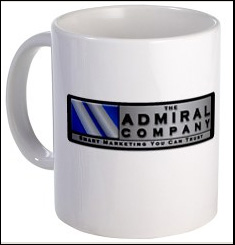
The first drawing will be held in May, 2011, and the prize will be this attractive Admiral Company coffee mug!
** Updated: Click here to view all blog posts about the monthly drawing, including winners. **

Drawing Details:
The first drawing will be held in May, 2011, and the prize will be this attractive Admiral Company coffee mug!
** Updated: Click here to view all blog posts about the monthly drawing, including winners. **
Drawing Details:
- To enter, simply sign up to receive our free e-newsletter
- You only need to sign up once, but will be eligible each month
- Previous winners are not eligible for future drawings
- Drawing will occur by the fourth business day of each month
- A winning email address will be selected at random
- The winner will be contacted via email and must reply within two business days to confirm shipping information for their prize
- Upon confirmation, winners will be announced on our blog with non-personally identifiable information. Example announcement: John, MN
- By accepting the prize, winners agree to let The Admiral Company use this non-personally identifiable information (example: John, MN) for marketing purposes
Subscribe to:
Posts (Atom)